

Why the Personal and Work Phone Question Matters More Than Ever
The personal and work phone debate is a critical decision for modern professionals. With 65% of employees reporting that workplace stress affects their personal lives, your phone setup directly impacts your well-being, productivity, and privacy.
Quick Answer: Should you have separate phones?
- One Phone Works Best If: You value simplicity, want to minimize costs, and can maintain boundaries through software solutions (dual SIM, work profiles, virtual numbers).
- Two Phones Work Best If: You need clear physical separation, prioritize maximum privacy and security, frequently work after-hours, or your employer provides a device.
- Key Factors to Consider: Work-life balance needs, company policies (BYOD/COBO/COPE), cost implications, and your ability to "switch off" from work.
The ubiquity of smartphones has blurred the line between our professional and personal lives. What started as a convenience—having email on your phone—has become an expectation of constant availability. Your personal device now juggles work communications with your private life.
Some professionals are required to carry two phones for security or liability reasons, while others choose this setup to reclaim their personal time and mental space.
However, carrying two phones has trade-offs like cost and inconvenience, leading many to seek smarter solutions for either one or two devices.
This guide explores the pros and cons of each approach, relevant workplace policies, and practical management strategies to help you decide.
The Case for One Device: The BYOD (Bring Your Own Device) Approach
Using one phone for everything, known as Bring Your Own Device (BYOD), appeals to many professionals who value simplicity and efficiency. The logic is simple: you use a familiar device, and it saves costs for both you and your employer. This is why many new businesses adopt BYOD.
However, this approach has trade-offs. Understanding them is key to effective Productivity & Device Management.

Advantages of Using a Personal Phone for Work
The single-device approach offers several clear benefits:
- Simplicity: One device to charge, carry, and manage.
- Familiarity: You're already efficient with your own device, so there's no learning curve.
- Cost Savings: You avoid buying a second phone, and employers may offer reimbursement while saving on hardware costs.
- Freedom to Upgrade: You can upgrade your phone on your own schedule, rather than waiting on a corporate cycle.
- Fewer Missed Communications: With everything in one place, you're less likely to miss an important call or message.
Disadvantages and Risks of a Combined Personal and Work Phone
The convenience of a single device comes with significant risks:
- Blurred Boundaries: The biggest disadvantage is the lack of separation between your professional and personal life. When your personal and work phone are one, work notifications constantly interrupt personal time, making it hard to disconnect and contributing to burnout.
- Privacy Concerns: Your employer's IT department may gain access to personal data like contacts or location. It's an uncomfortable feeling knowing your personal device isn't entirely yours anymore.
- Security Risks: There are inherent security risks of BYOD. Your personal device might not be secure enough for company data, and the Mobile Device Management (MDM) software used to mitigate this can further compromise your privacy.
- Company Remote Wipe Policy: This is perhaps the most alarming risk. When you leave a job, your employer might wipe your device to remove company data, potentially deleting your personal files, photos, and contacts by mistake.
- Data Loss and Restrictions: If your phone is lost or stolen, you lose both personal and work data. Furthermore, company security policies might restrict app usage, making your personal phone feel less your own.
The Two-Phone Solution: Why Professionals Have a Separate Personal and Work Phone
For many, the downsides of a single device lead them to a two-phone setup. This is a strategic choice for better work-life balance, security, and mental separation.
A growing number of professionals are choosing a separate personal and work phone to set a clear physical and psychological boundary, helping them disconnect and reclaim personal time. Physically separating your devices creates mental clarity. Putting your work phone away signals to your brain that the workday is over, creating a ritual that separates your professional and personal life.
The Benefits of Physical Separation
- Improved Work-Life Balance: This is the primary benefit. Physically putting your work phone away ends notifications during personal time, reducing stress and allowing you to be more present.
- Improved Security: A dedicated work phone can be locked down to protect company data. Any security breach is contained to that device, not your personal one.
- Professional Image: Using a dedicated business number maintains professional boundaries and appears more credible to clients.
- Clearer Billing: Work expenses are naturally separated, simplifying expense tracking. These costs may even be tax-deductible.
- No Personal Data Risk: Your private information remains completely separate from your employer, with no risk of a remote wipe affecting your personal files.
- Easier to Disconnect: The physical separation is a powerful mental trigger that signals the end of the workday, allowing you to truly relax.
The Downsides of Juggling Two Devices
- Inconvenience: Carrying and managing two phones can feel clunky and inefficient.
- Higher Costs: Unless your employer covers it, a second phone and service plan is a significant investment.
- Charging Management: You need to keep two devices powered, which requires extra chargers and planning. Organized desk and dashboard mounts can help.
- Potential to Miss Calls: It's easy to miss something important if you're not vigilant about checking both devices.
- Device Clutter: Two phones can add to digital overwhelm. An organized system is essential for peace of mind, which is why many users invest in solutions to keep their devices accessible and tidy.
Bridging the Gap: How to Manage Your Devices Effectively
Whether you choose one phone or two, smart management is key to maximizing productivity and maintaining boundaries. Technology offers digital solutions for a single device, while physical organization is crucial for two. These strategies apply across many Industries.
Managing a Single Device for Work and Personal Use
If you use one phone, creating digital boundaries is essential to separate work and personal life on the same hardware.
- Dual SIM and eSIM technology allow for two separate numbers on one device, providing a simple way to distinguish between work and personal calls.
- The Android Work Profile creates a secure container for work apps, keeping your personal data private. You can even schedule it to turn off after hours.
- iOS Focus Modes let you create a "Work" mode that silences personal notifications and shows only work-related apps, mimicking a two-phone experience on a single device.
- Virtual phone systems provide a dedicated business number that routes to your smartphone, giving you professional features while keeping your personal number private.
- Thoughtful app organization, like creating separate home screen pages for work and personal apps, can also help you mentally switch contexts.
Streamlining a Two-Phone Setup for Professionals
For two-phone users, the challenge is management. Smart organization is the key to turning inconvenience into efficiency.
- Use synced calendars to see all appointments in one place and avoid double-booking.
- Use call forwarding strategically to stay reachable after hours when necessary. Clear voicemail messages on both phones can help manage expectations.
- A centralized charging station ensures both phones are ready for the day. Sales Professionals on the Go should also keep portable chargers handy.
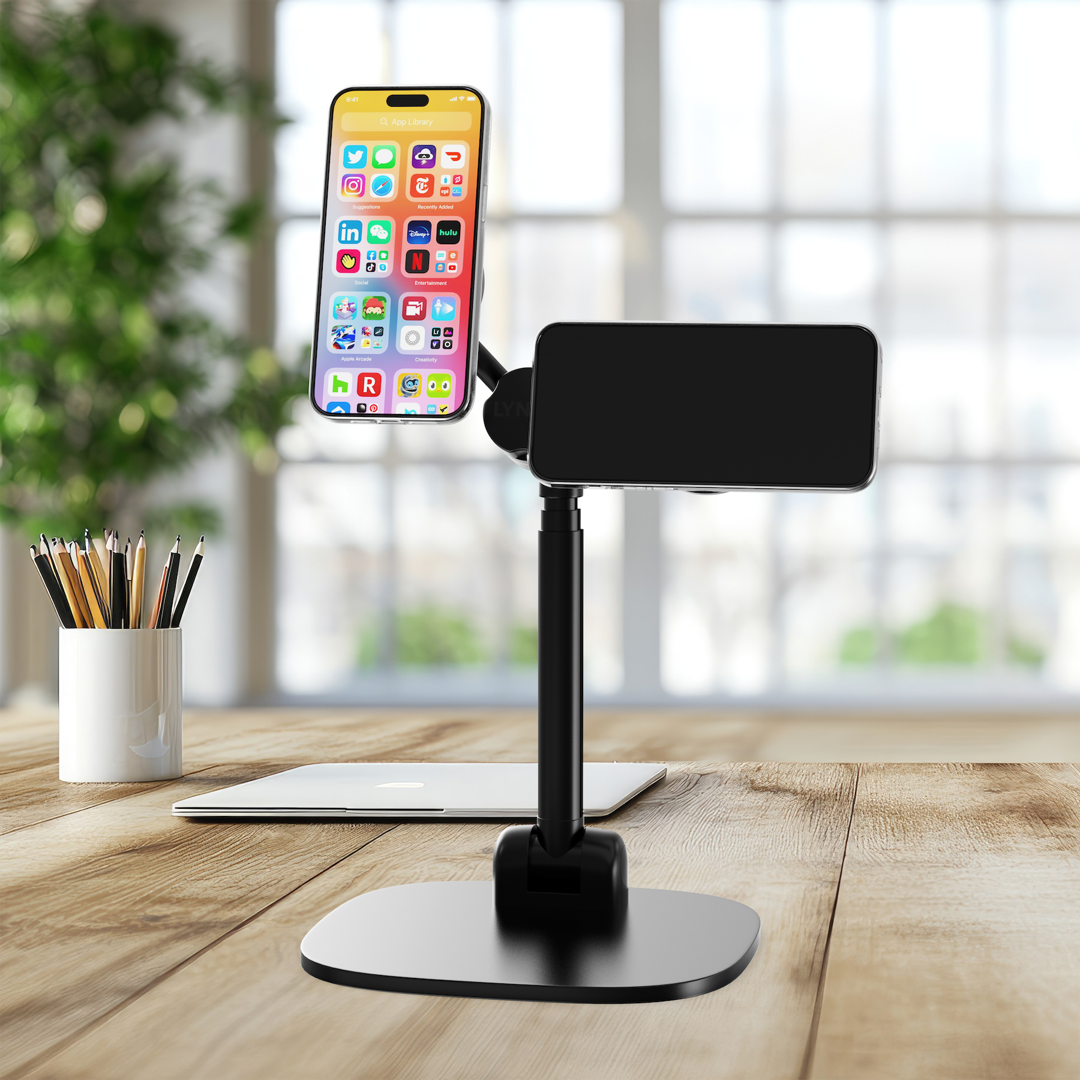
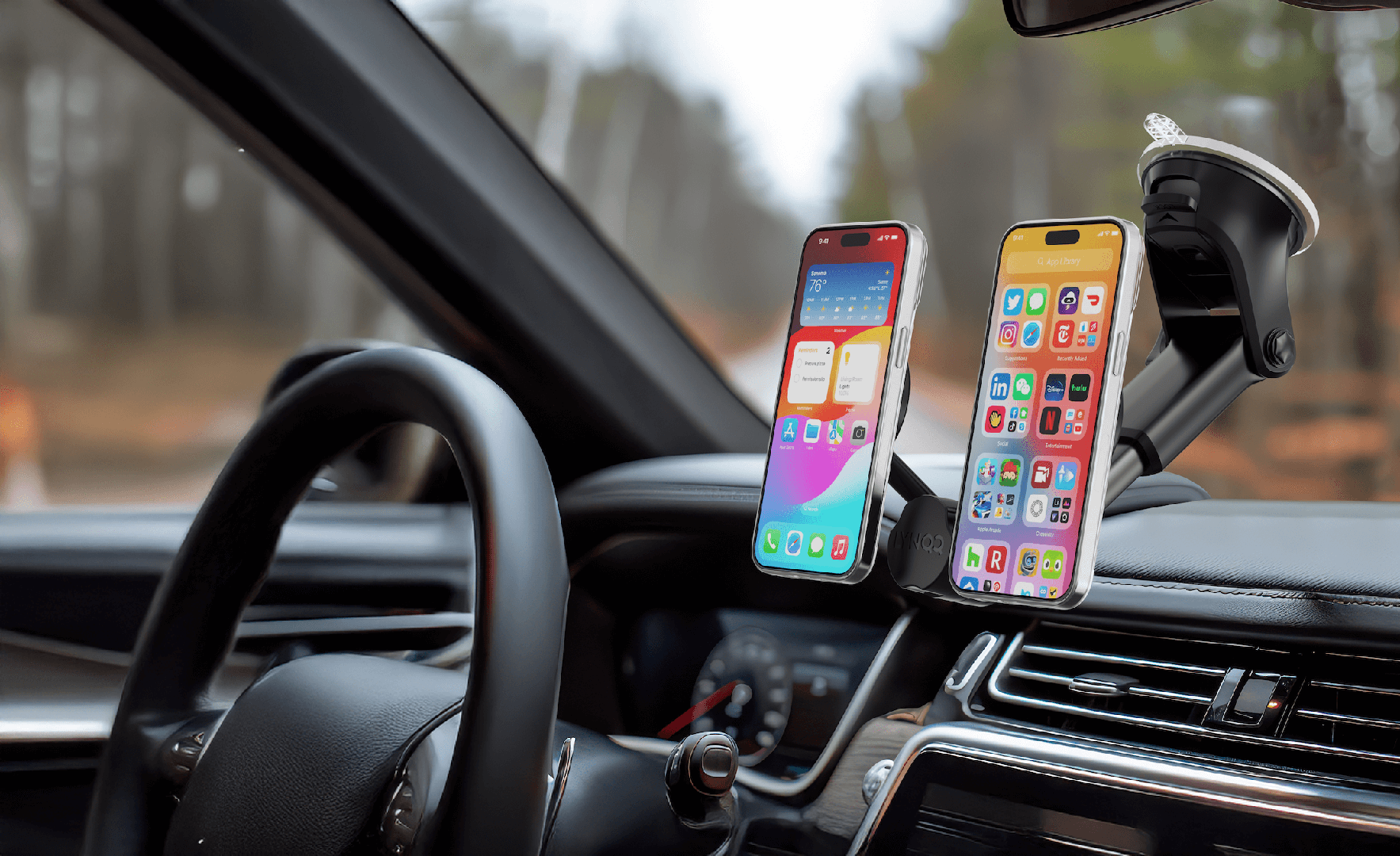
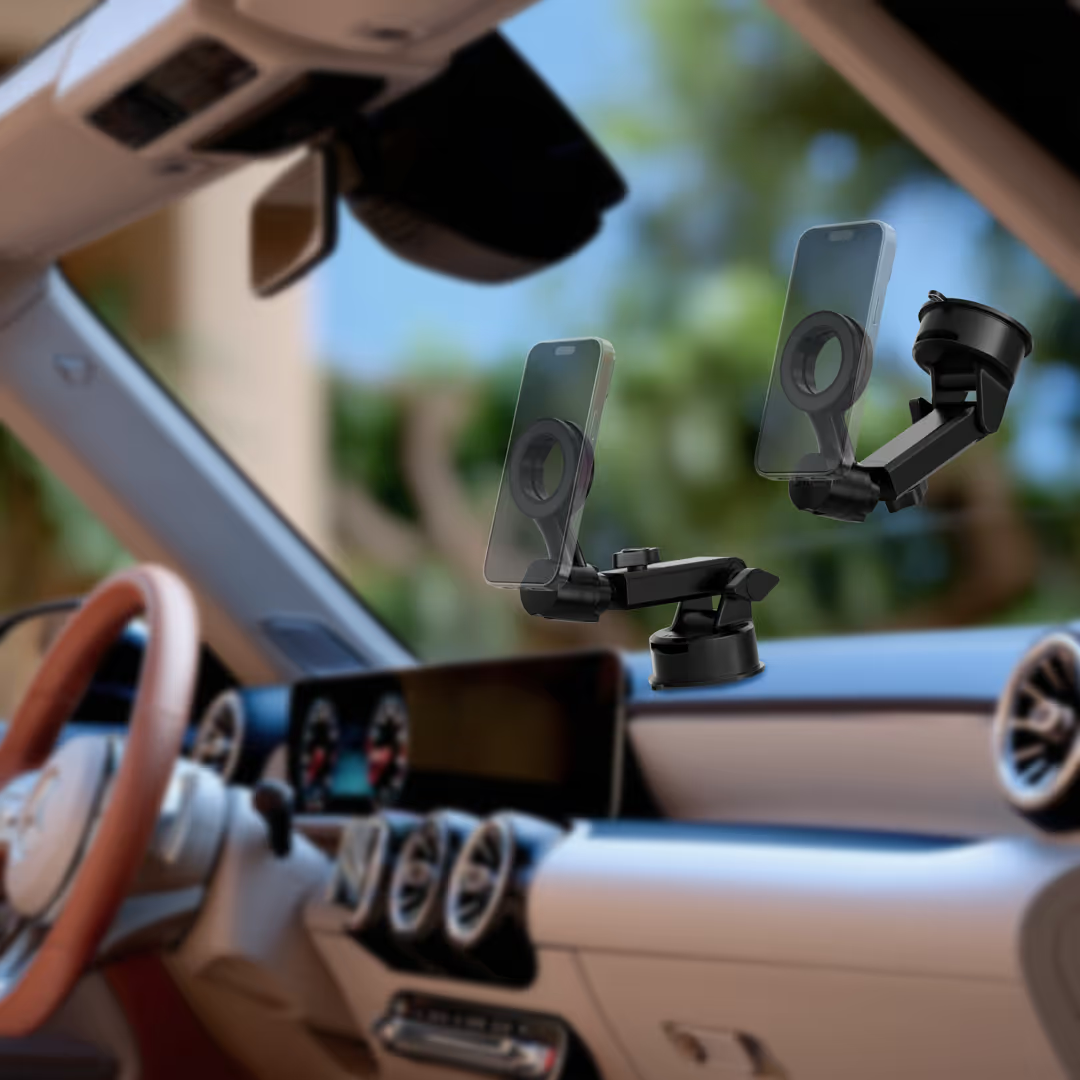
This is where physical organization shines. LYNQQ mounts solve the core frustration of managing two phones by keeping them accessible and organized. Our dashboard mounts are ideal for professionals on the road, placing your personal and work phone side-by-side for easy access to navigation and calls.
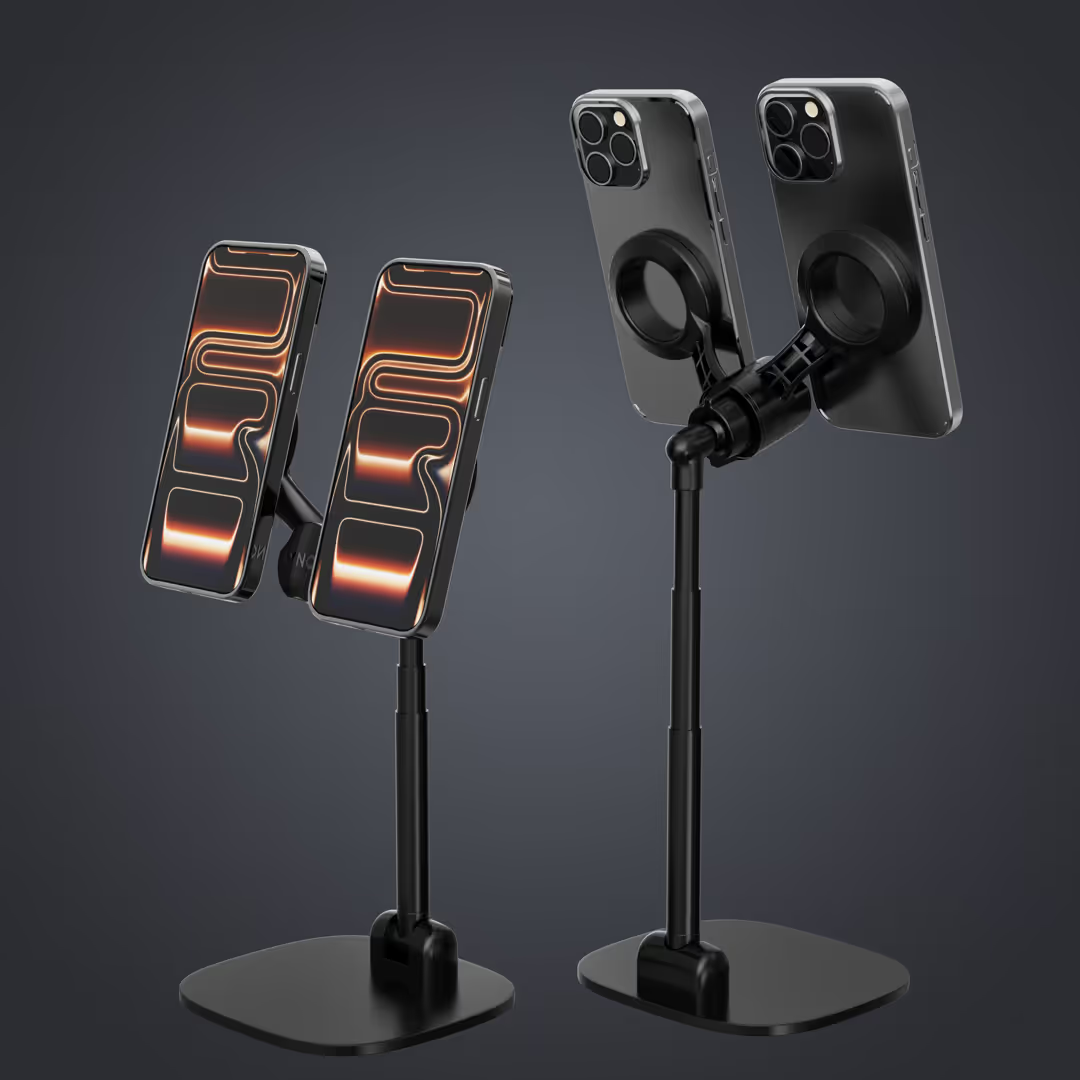
At your desk, a LYNQQ mount creates a command center. Both phones are held at eye level, which is invaluable for Remote & In-Office Professionals who need to monitor multiple channels. The minimalist design keeps your workspace clean and professional. With a well-managed setup using desk and dashboard mounts, physical separation becomes effortless.
Company Policies and Other Key Considerations
While personal preference is important, your employer's policies and job demands often dictate your personal and work phone setup. Understanding these frameworks is crucial for making the best choice.
Understanding Workplace Cell Phone Policies
Companies typically follow one of four main phone policies, each affecting whether you'll use one or two devices.
- BYOD (Bring Your Own Device) lets you use your personal phone for work. It's convenient and saves the company money, but it blurs boundaries and creates privacy and security risks, including the possibility of a remote device wipe.
- COBO (Company-Owned, Business Only) means your employer provides a phone for work use only. This offers maximum security and clear separation, but you must carry two phones.
- COPE (Company-Owned, Personally Enabled) is a hybrid. The company owns the phone but allows limited personal use. It's a single-device solution, but the employer retains security oversight.
- CYOD (Choose Your Own Device) allows you to select a phone from a company-approved list. The company owns and secures the device, offering more choice than COBO but with similar restrictions.
The table below breaks down these policies in detail:
| Policy Type | Ownership | Usage | Pros | Cons |
|---|---|---|---|---|
| BYOD (Bring Your Own Device) | Employee | Personal & Work | Employee familiarity, cost savings for company, personal choice of device. | Blurred boundaries, privacy concerns for employee, security risks for company data, potential for remote wipe. |
| COBO (Company-Owned, Business Only) | Company | Work Only | Maximum security for company data, clear separation of work/personal, company controls all aspects. | Employee carries two phones, no personal use on work device, potential employee frustration. |
| COPE (Company-Owned, Personally Enabled) | Company | Work & Limited Personal | Employee convenience (one device), company maintains security oversight, some personal use flexibility. | Company access to personal data, employee feels less ownership, potential for company restrictions on personal apps. |
| CYOD (Choose Your Own Device) | Company (employee chooses from list) | Work & sometimes Limited Personal | Employee choice within company standards, company maintains control over device type and security, often better user experience. | Limited choice compared to BYOD, still company-owned with potential for monitoring, may still require carrying two phones for full privacy. |
Special Considerations for Your Role and Industry
Your role and industry also influence the decision.
- Self-employed professionals have total freedom. Many use a single device with a virtual number for simplicity, while others prefer two phones for the mental separation.
- Employees in roles like sales or IT often lean toward a single phone for efficiency. For those who drive frequently, such as Rideshare & Long Haul Drivers, having both phones on a dashboard mount is essential for managing navigation and calls.
- Job mobility is another factor. A separate work number makes changing jobs cleaner, as you won't have former colleagues calling your personal line.
- Data ownership is a key privacy consideration. On a company device, the employer owns the data. With BYOD, the lines are blurred. Understand the policy before you commit.
- Your company's IT capabilities also matter. A small business may handle BYOD poorly, making two phones a safer bet. Ask your IT team about their policies and data protection measures.
Frequently Asked Questions about Personal and Work Phones
Let's address some of the most common questions about the personal and work phone decision.
What are the security implications of using a personal phone for work?
Using your personal phone for work creates several security risks:
- Company Access: Your employer's IT department may gain control over your device, potentially monitoring your activity or accessing personal accounts.
- Mobile Device Management (MDM): Companies use MDM to secure data, but this gives them oversight of your personal device, which can lead to restricted app usage.
- Data Segregation: Without tools like Android Work Profile, your work and personal data mix, making both vulnerable.
- Remote Wipe Risk: When you leave a job, a company-initiated wipe to protect corporate information could inadvertently erase your personal data.
- Personal Data Exposure: Malware from personal apps or insecure Wi-Fi can compromise both your data and the company's.
How does having separate phones affect my ability to disconnect?
A separate personal and work phone dramatically improves your ability to disconnect. This is a key benefit for many professionals.
- Physical Boundary: The act of physically putting your work phone away creates a tangible separation that reinforces the end of the workday.
- Mental Trigger: This separation becomes a mental trigger, helping your brain shift from "work mode" to "personal mode" so you can fully relax.
- Reduced Notification Anxiety: Work alerts are confined to the work phone, so they won't interrupt your personal time.
- "Out of Sight, Out of Mind": Not seeing the work phone makes it easier to disengage and mentally recharge.
- Prevents Work Creep: A separate device helps you avoid burnout by creating a hard stop to your workday.
Is a virtual phone number a good alternative to a second phone?
A virtual phone number is an excellent middle ground, offering separation without a second device. It's ideal for freelancers and small business owners.
- Cost and Convenience: You get a separate business line on your existing smartphone without buying new hardware.
- Professionalism: It provides a dedicated business number with custom greetings, which appears more credible to clients.
- Call Routing: Features like auto-attendants and call forwarding give a small operation a "big business" feel.
- Privacy: It keeps your personal number separate from business contacts.
The main trade-off is that these services are often app-dependent, so call quality can rely on your internet connection. However, most services are reliable and offer backups. For those who want simplicity with professional boundaries, a virtual number is often the perfect solution.
Conclusion: Finding Your Perfect Setup
There's no single answer to the personal and work phone question. The best setup depends on your priorities: simplicity, separation, company policy, or budget.
As we've seen, both approaches have merit. A single device can work well with digital tools like dual SIM or work profiles. But a two-phone setup offers the unique psychological benefit of physical separation from work.
The key is choosing what's right for you. Honestly assess your work-life balance needs, job requirements, and company policy to find a solution that reduces stress and gives you more control.
For those who choose or are required to use two phones, the challenge is management. That's where LYNQQ comes in. Our Lynqq Car & Desktop Bundle keeps your personal and work phone organized and accessible, both at your desk and in your car. Our mounts eliminate the clutter and frustration of juggling two devices.
The goal is to find a setup that supports your professional success and personal well-being, putting you in control of your technology.
Ready to streamline your dual-phone life? Shop our solutions and find how much easier managing two devices can be.



%20(1).avif)